How to sign up with porting
How to sign up with porting
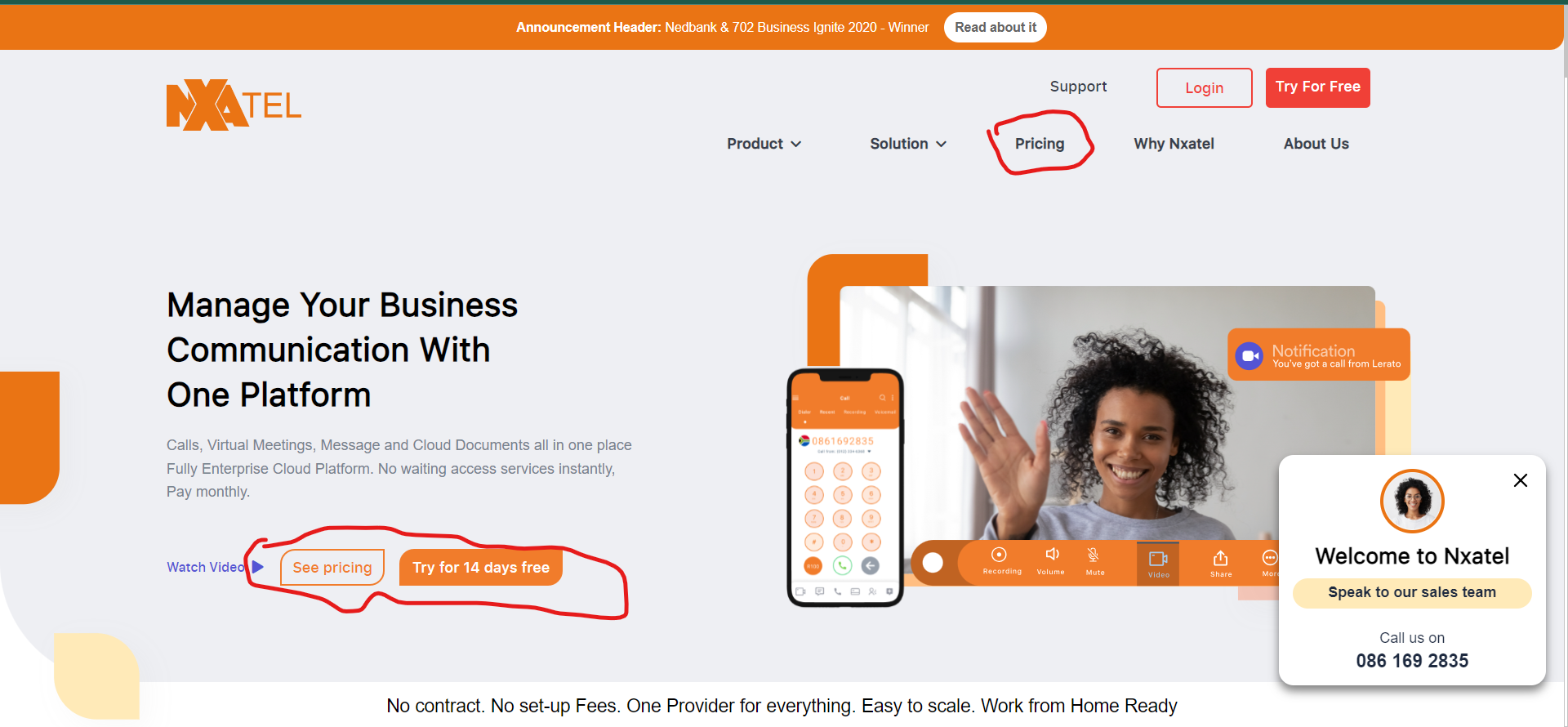
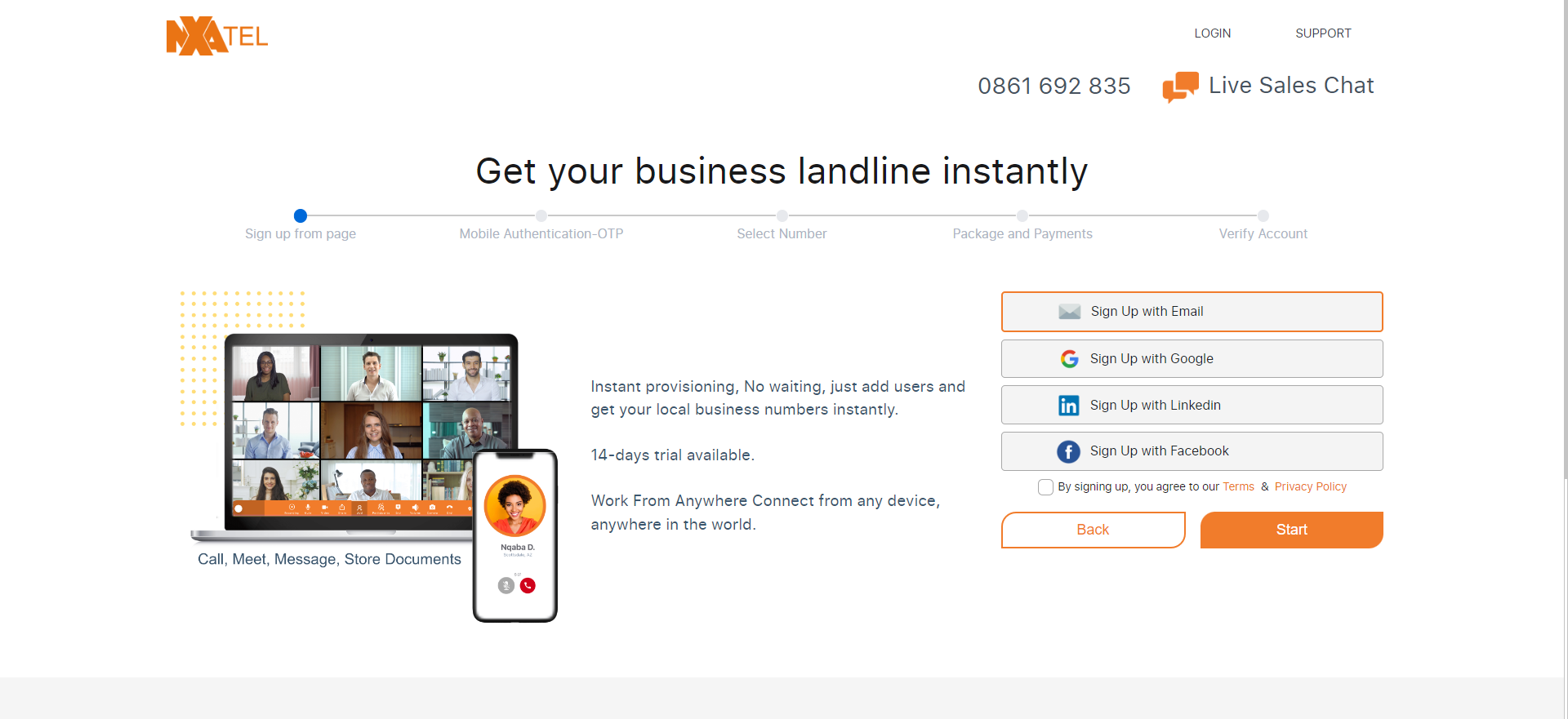
As with a normal signup you can begin the signup process in one of these 3 ways, you can select the 'Pricing' button, the 'see pricing' button or the 'try for 14 days free'. Should you select the 'try for 14 days free' button, you will be directed to where you can select whether to signup via email or you can choose one of 3 social media options to sign up with.
Make sure you select terms and conditions and select start after you enter your information. You will then receive an OTP on your cell phone number.
Number Porting
Number porting is the process of taking an existing phone number and transferring it to another provider. There are two methods of number porting you'll want to be aware of. The first is local number porting. The second is full mobile number porting. Local number porting deals with number porting that relates to fixed lines. Full mobile number porting relates to the process of changing your mobile number to a different service provider, upgrading your existing service, or moving the number to a different location entirely.
We offer the former on your Mobile phone.
Enter your account details
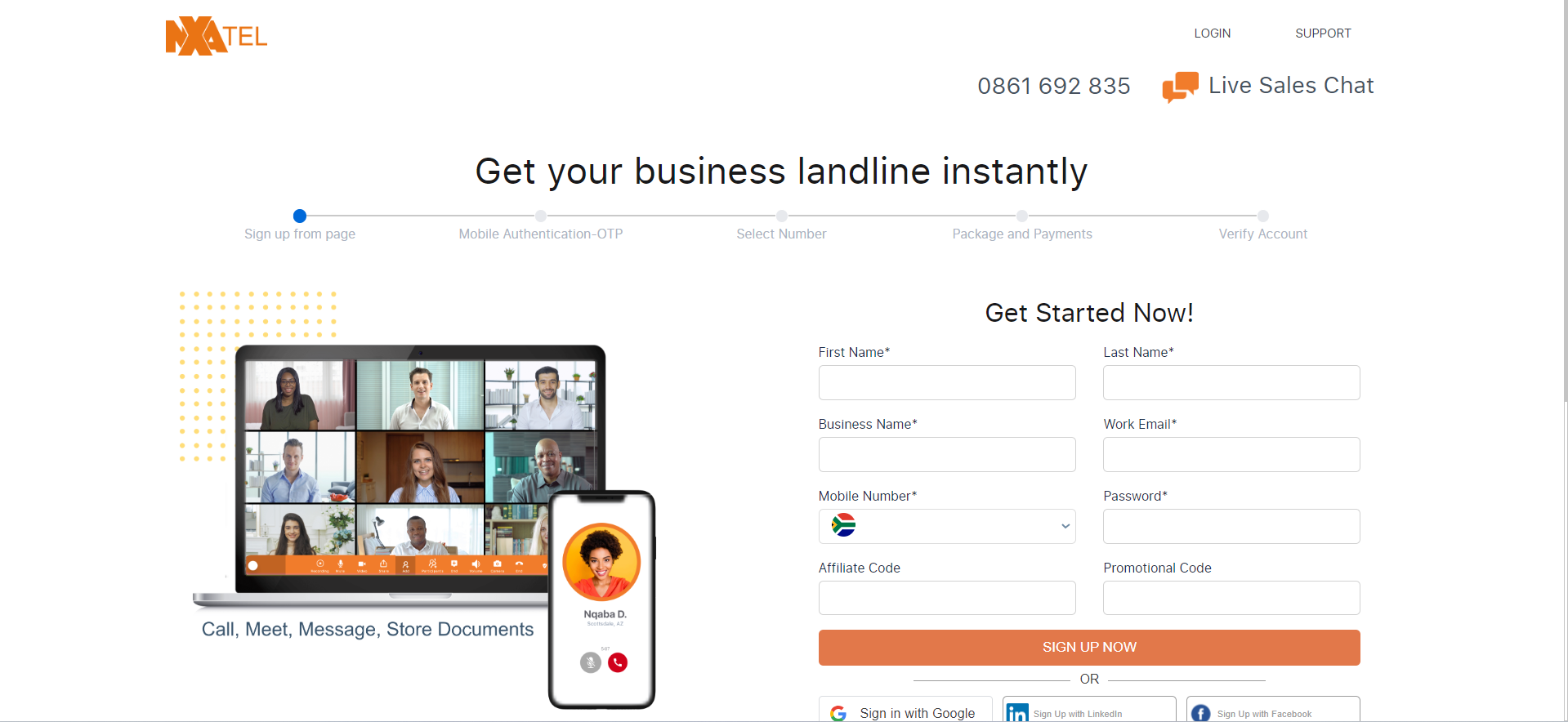
1.Enter your first name
2.Enter your last name
3.Enter your business name
4.Enter your work email
5.Enter your Mobile number where you will receive an OTP
6.Enter your password
7.Enter your Affiliate Code or Promotional Code (Optional)
Enter the OTP
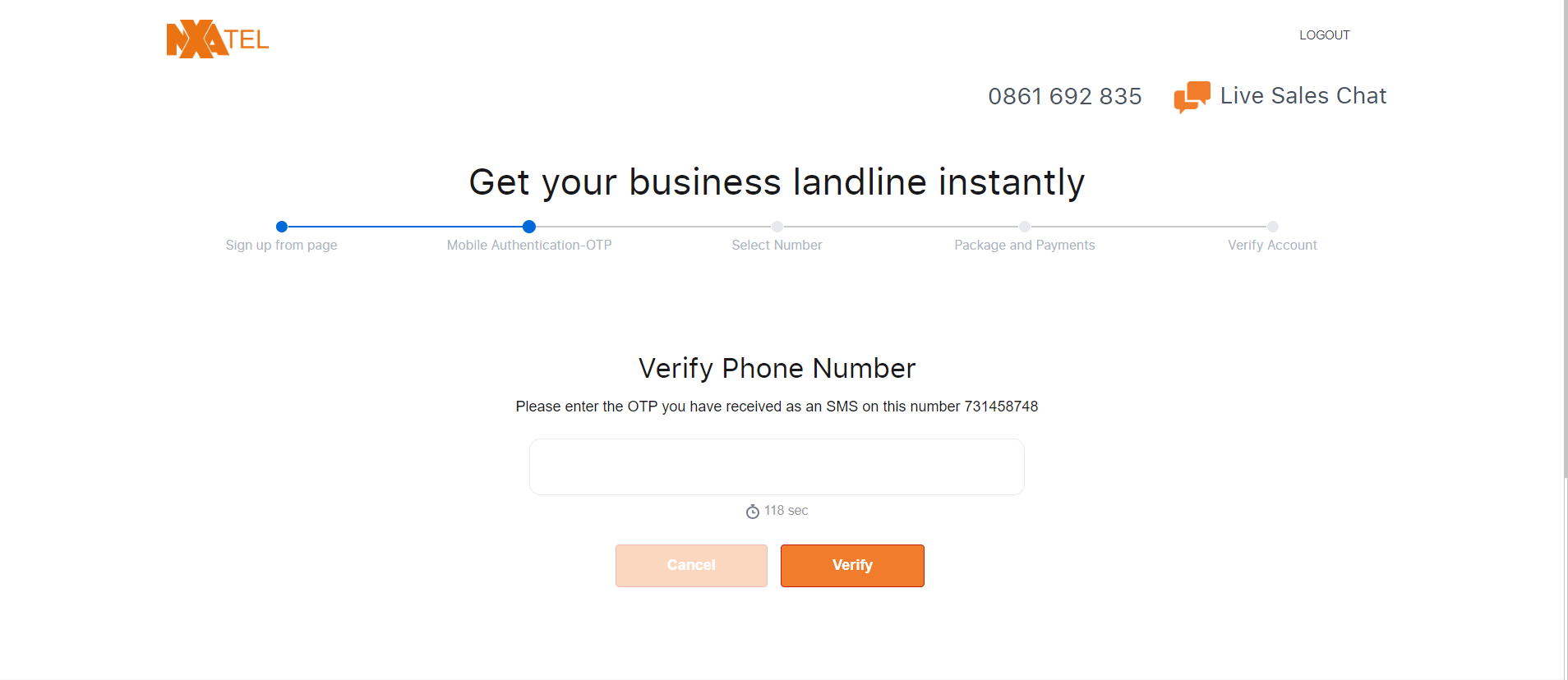
1.Enter the OTP sent to your Mobile device
2.Click verify
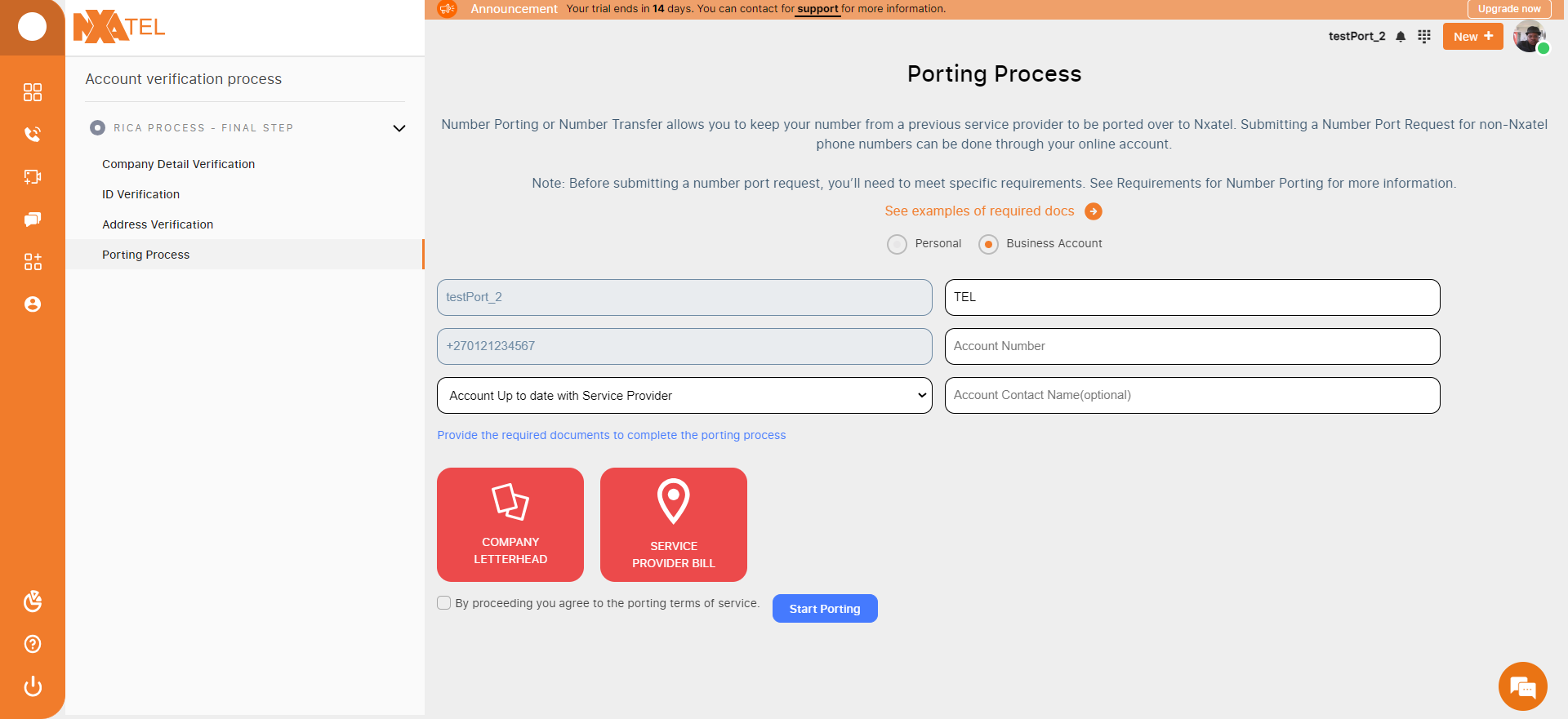
Upload Porting Documents
1.Enter Account number
2.Select whether account is up to date with Service Provider
3.Enter Account Contact (Option)
4.Upload company letterhead
5.Upload service provider bill
6.Check terms of service and Click Start Porting to proceed
Porting Process Tracking
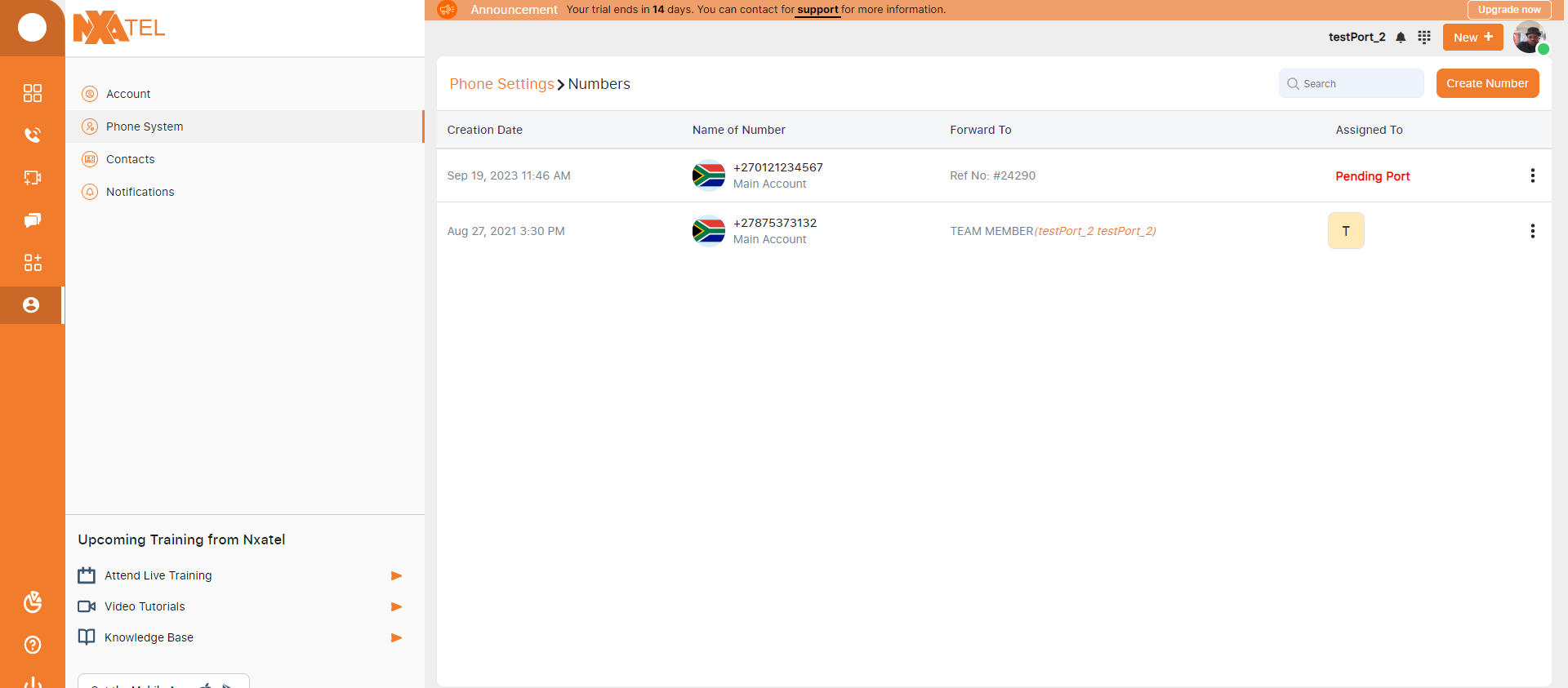
Once the porting process on signup is complete, you can track the Porting status under Settings -> Phone Settings -> Numbers. If the process has been complete and the service provider has been successfully changed to NxaTel, we will then remove the temporary number and automatically add the forwarding to the Ported number
As with a normal signup you can begin the signup process in one of these 3 ways, you can select the 'Pricing' button, the 'see pricing' button or the 'try for 14 days free'. Should you select the 'try for 14 days free' button, you will be directed to where you can select whether to signup via email or you can choose one of 3 social media options to sign up with.
Make sure you select terms and conditions and select start after you enter your information. You will then receive an OTP on your cell phone number.
Number Porting
Number porting is the process of taking an existing phone number and transferring it to another provider. There are two methods of number porting you'll want to be aware of. The first is local number porting. The second is full mobile number porting. Local number porting deals with number porting that relates to fixed lines. Full mobile number porting relates to the process of changing your mobile number to a different service provider, upgrading your existing service, or moving the number to a different location entirely.
We offer the former on your Mobile phone.
Enter your account details
1.Enter your first name
2.Enter your last name
3.Enter your business name
4.Enter your work email
5.Enter your Mobile number where you will receive an OTP
6.Enter your password
7.Enter your Affiliate Code or Promotional Code (Optional)
Enter the OTP
1.Enter the OTP sent to your Mobile device
2.Click verify
- Select a number (DID Porting)
1.Select a Country
2.Select a Local or National (Coming Soon)
3.If you select a Local number, you will be required to select a Province
4.Select 1 FREE PORT INCL
5.Enter Number to be Ported
6.Name your account number by Team or Department
7.Click create number
Select a Package
You have the option of purchasing a product immediately or trying out our 14-day trial where you will get full use of the NxaTel cloud phone system for up to 14 days.
1.Select a duration, you can choose a monthly package, a yearly package or a 24-month package
2.Select package
3.Select number of team members
4.Select currency, you may choose the currency you wish to pay with
Making a Payment
To make a payment you can choose between 2 payment methods, Card payments or Debit order. If you purchased a NxaTel voucher, you may redeem it, and it will deduct the voucher amount from the total amount due.
RICA - Online Business Account Verification Process
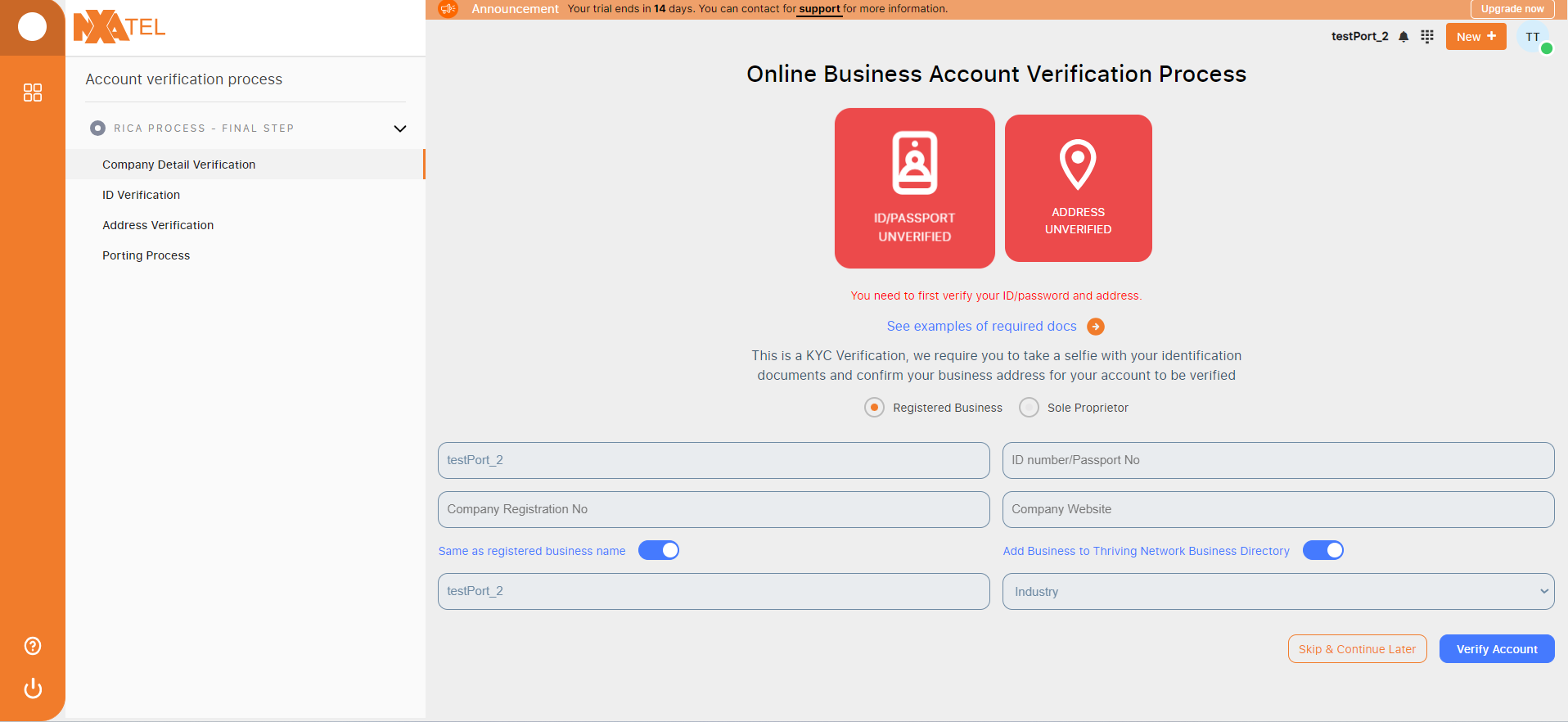
The Regulation of Interception of Communications and Provision of Communication-Related Information Act (RICA) is a South African law that regulates the interception of communications and associated processes such as applications for and authorization of interception of communications. All users are required to complete this page, it can be skipped temporarily, however it is mandatory to complete in South Africa.
1.Complete the Company details verification - Company name
- ID/Passport number
- Company registration number
- Company website
2.Complete the ID verification - Upload Acceptable ID/Passport
- Take Selfie
3.Complete Address Verification
Upload Porting Documents
1.Enter Account number
2.Select whether account is up to date with Service Provider
3.Enter Account Contact (Option)
4.Upload company letterhead
5.Upload service provider bill
6.Check terms of service and Click Start Porting to proceed
Porting Process Tracking
Once the porting process on signup is complete, you can track the Porting status under Settings -> Phone Settings -> Numbers. If the process has been complete and the service provider has been successfully changed to NxaTel, we will then remove the temporary number and automatically add the forwarding to the Ported number